One Block Horrors But Gun Controls Guide (PC & Mobile)
Master movement, mining, aiming, shooting, and inventory so night fights feel readable instead of chaotic.
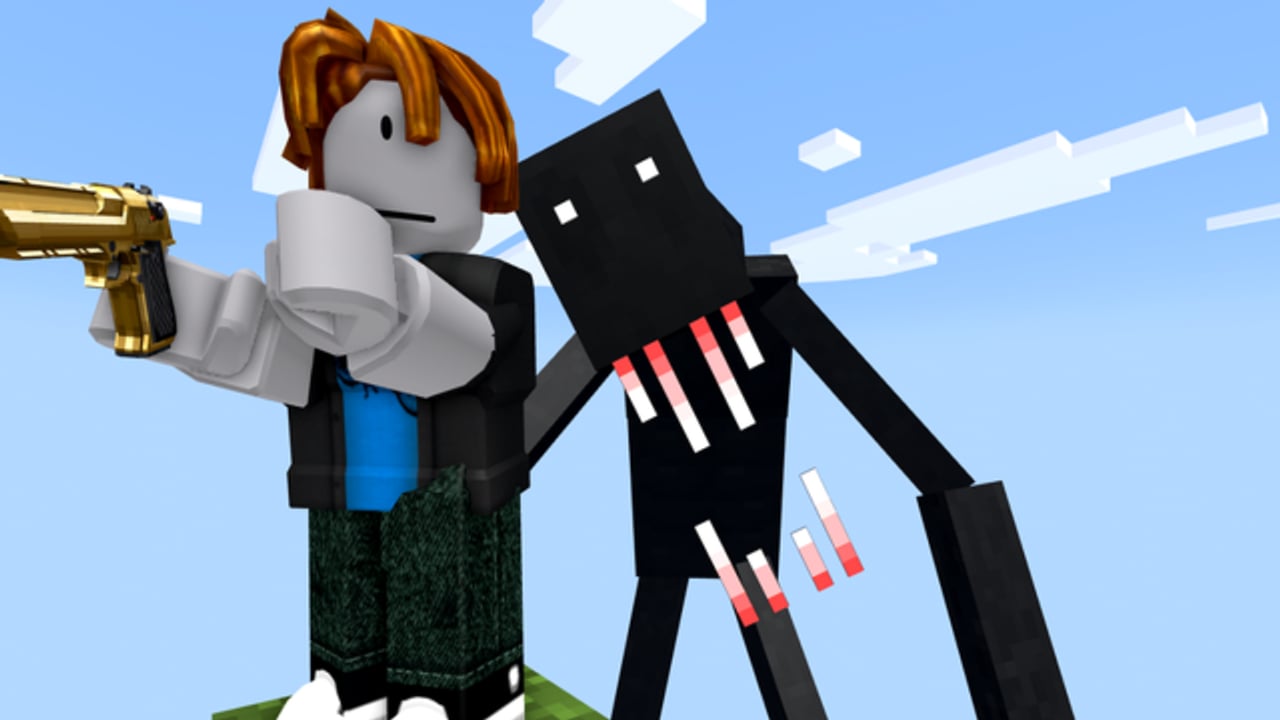
Clean inputs win more nights than lucky drops. One Block Horrors But Gun runs on Roblox across PC, phone, and tablet, with online co-op up to 18 players. This controls guide covers how to move, break the regenerating one block, aim and shoot, manage inventory, and read the UI—plus how mobile aim assist changes your practice routine.
Pair this page with Getting Started for your first session plan and Survive the Night for what those inputs must accomplish under pressure. When your hands know the kit, you can focus on choke points, ammo calls, and team revives instead of hunting buttons in the dark.
Mindset before the keybinds
Treat controls as a survival system, not a menu trivia quiz. You need three reliable loops:
- Mine loop — approach the one block, break it safely, scoop loot, reset camera.
- Fight loop — acquire target, fire controlled bursts, reload behind cover, re-acquire.
- Team loop — move with allies, answer pings or chat, break line of sight when low.
If any loop feels clumsy, slow down in daylight and drill it for two minutes before the next night cycle. Panic mashers empty magazines and walk off void edges.
PC controls overview
On keyboard and mouse, expect the familiar Roblox baseline with shooter emphasis:
- Movement — WASD to strafe and close distance; Shift for sprint when available; Space to jump. Keep jumps deliberate near ledges above the void.
- Camera — mouse look; adjust sensitivity in Roblox settings until a 180° turn feels smooth without overshoot.
- Mining / breaking the one block — hold or tap the interact/attack control while aimed at the block (commonly click or the bound break action). Stay planted so you do not drift into teammates’ fire lanes.
- Aiming and shooting — right mouse to aim down sights when supported; left mouse to fire. Prefer short bursts until you know a gun’s recoil.
- Reload — R by default on many Roblox shooters; confirm in your session and muscle-map it before night.
- Inventory / hotbar — number keys or scroll to swap weapons and tools quickly. Put your night primary on the easiest slot.
- UI — watch health, ammo counters, and any night timer or threat indicators. Minimize menus once darkness starts.
Customize only after a clean default session. Huge sensitivity jumps make mining and tracking worse for a full night before they feel “better.”
Mobile and tablet controls
Touch layouts add virtual joysticks and on-screen fire buttons. Place your thumbs so movement and aim never force a full hand lift mid-fight. Many players prefer a slightly lower sensitivity on mobile than on PC because thumbs overshoot small targets.
Mobile aim assist is a real advantage for new players. It helps stick to nearby threats so you can learn strafing and reload timing without perfect flick aim. Do not lean on it as a substitute for positioning—assist will not save you if you stand in the open with an empty mag. Use it to land the first shots, then break line of sight while you reload.
Mining on mobile needs patience. Line the crosshair on the one block before you commit the break input so you do not waste swings on air. After loot pops, pause half a second to claim it before sprinting; frantic thumb slides often walk you off platforms.
Landscape orientation usually gives a wider view of approaches. Portrait can work for short sessions, but night awareness suffers when peripheral vision is cropped.
Mining the one block without fighting the camera
The regenerating one block is your economy. Approach from a stable footing, center the block, then break. After each regeneration cycle, re-check flanks before the next swing. If a teammate is already mining, cover an angle instead of stacking bodies on the same pixel—clustered miners are easy splash targets when threats arrive.
When loot drops, decide fast: equip a better gun, pocket ammo, or leave a starter weapon for an unarmed ally. Inventory juggling mid-night is how people die. Sort loadouts in daylight whenever possible. Deeper loot habits live in How to Get Guns.
Aiming, shooting, and ammo inputs
Good shooting is rhythm, not spam:
- Shoulder or ADS when the game mode supports it for distant threats.
- Hip fire only when something is already in your face and tracking matters more than precision.
- Reload behind cover or after a confirmed kill window—not while sprinting in a straight line across open ground.
- Listen for dry-fire clicks; if your UI ammo counter is small on mobile, glance deliberately after every magazine.
Practice target priority with the same inputs you will use at night. Tag the closest threat first unless a special enemy demands focus fire. Call reloads so teammates know your lane is soft for two seconds.
Inventory and UI hygiene
Keep your hotbar intentional. Slot 1: primary night gun. Slot 2: backup or utility. Avoid filling every slot with novelty picks you will never fire. When you pick up a new weapon, immediately test fire once in a safe direction so you know the trigger latency and recoil pattern.
Close unnecessary UI panels before night. A settings menu open during a wave is a free death. On PC, keep chat usable for short calls (“reloading,” “left flank,” “block up”) without typing essays. On mobile, pre-bind or use quick phrases if your squad relies on text.
Accessibility and comfort tips
- Lower sensitivity if you overshoot heads or the block constantly.
- Raise sensitivity slightly if you cannot turn to flank threats in time—change in small steps.
- Brightness / night visibility — raise game or device brightness carefully so silhouettes read earlier without washing out muzzle flashes.
- Headphones — directional audio helps when visuals are busy.
- Sit or stand stably on mobile; shaky posture equals shaky aim.
- Breaks — long sessions degrade reload timing; stretch thumbs and wrists between nights.
- Color and contrast — if UI elements blend into dark maps, increase contrast in device settings.
If a control scheme fights you, switch devices for a practice lobby. Many players mine more cleanly on PC and still enjoy mobile with aim assist once fundamentals stick.
Common control mistakes
- Jumping while mining near void edges.
- Holding sprint during precise aim.
- Swapping weapons every pickup without remapping hotbar priority.
- Ignoring aim assist settings on mobile, then blaming the game for misses.
- Opening the full inventory during active combat.
Drill routine (five minutes)
- Walk the platform perimeter without falling.
- Break the one block three clean cycles.
- Equip a gun, fire a controlled magazine, reload behind cover.
- Strafe left and right while tracking a teammate or dummy direction.
- Practice a retreat path to your night rally point.
Repeat after any settings change. Then take those habits into a real night using the advice in Survive the Night, and return to Getting Started if you still need the day-one checklist.
Mastering controls will not remove horror pressure, but it removes self-inflicted deaths. When movement, mining, and shooting feel automatic, your attention belongs on the squad, the clock, and the next regenerating block cycle—the decisions that actually decide who lasts until morning.
Frequently Asked Questions
Quick answers for One Block Horrors But Gun players.
Does One Block Horrors But Gun support mobile aim assist?
Yes. Phone and tablet play includes aim assist to help tracking. Use it while you learn, but still practice reloads, cover, and sensitivity.
What should I practice first on PC?
Stable mining on the one block, a controlled magazine with reload behind cover, and camera turns that do not walk you off void edges.
Why do I keep missing while mining on mobile?
Center the block before committing the break input, reduce sensitivity slightly, and avoid sprinting through the swing. Aim assist helps shooting more than imprecise mining angles.
How should I arrange my hotbar?
Put your night primary on the easiest slot, keep a backup next to it, and sort novelty guns later in daylight so you never fumble swaps mid-wave.
Where should I go after learning controls?
Follow Getting Started for the full day-one plan, then Survive the Night for lighting, choke points, and team fight routines.